paloaltoNETWORKS

Palo Alto Networks Training

Next-generation firewall configuration and management.

Find the Palo Alto course that meets your needs and book your requested training at a time that fits your schedule. We will contact you with information and pricing.

EDU-210
Course code
15
Course modules
4
Appendices

Course offering

Firewall 10.1 Essentials: Configuration and Management (EDU-210)

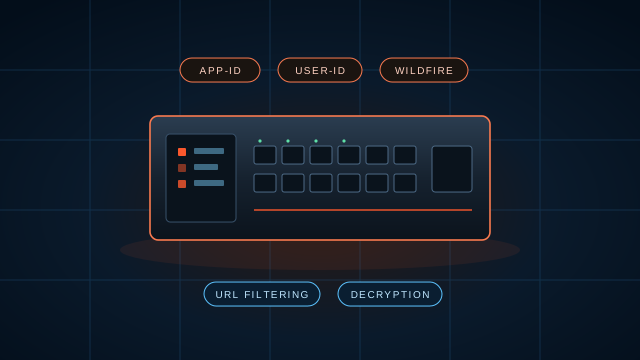
Course modules cover the Palo Alto Networks portfolio and architecture, initial firewall settings, security and NAT policy, App-ID, threat prevention, URL Filtering, WildFire, User-ID, decryption, and logs and reports.

Platform & setup

  • 01Palo Alto Networks portfolio and architecture
  • 02Configuring initial firewall settings
  • 03Managing firewall configurations
  • 04Managing firewall administrator accounts
  • 05Connecting the firewall to production networks with security zones

Policy control

  • 06Creating and managing Security policy rules
  • 07Creating and managing NAT policy rules
  • 08Controlling application usage with App-ID

Threat prevention

  • 09Blocking known threats using Security Profiles
  • 10Blocking inappropriate web traffic with URL Filtering
  • 11Blocking unknown threats with WildFire

Identity & visibility

  • 12Controlling access to network resources with User-ID
  • 13Using decryption to block threats in encrypted traffic
  • 14Locating valuable information using logs and reports
  • 15What’s next in your training and certification journey
APPENDICES
  • Securing endpoints with GlobalProtect
  • Providing firewall redundancy with High Availability
  • Connecting remote sites using VPNs
  • Configuring the User-ID Windows Agent

Learning outcomes

What the modules
prepare you to do.

Outcomes follow the course modules listed in the official EDU-210 outline.

01

Stand up the firewall.

Configure initial settings, manage configurations and administrator accounts, and connect the firewall to production networks with security zones.

02

Control traffic with policy.

Create and manage Security and NAT policy rules, and control application usage with App-ID.

03

Block known and unknown threats.

Apply Security Profiles, URL Filtering and WildFire, and use decryption to block threats in encrypted traffic.

04

Know who and what.

Control access to network resources with User-ID, and locate valuable information using logs and reports.

Training options

Choose how
your team learns.

Class types offered on our training quote request form are the same cost.

Instructor-led training

Learn with an instructor and complete the course exercises in class.

Virtual classroom training

Attend the class in a virtual classroom from your own location.

Dates on request

Book your requested training at a time that fits your schedule.

Upcoming sessions

Palo Alto Networks
classes.

Email training@braxtongrant.com with your requested course and date preferences, or request a quote.

No upcoming sessions are currently listed. Contact our training team to request available dates.

Request Training Dates

Book training on your schedule

Request Palo Alto training dates.

Tell us the number of students and your preferred dates. For more information, call 443-545-2052, Option 4.

Let’s move your mission forward.

The right technology.
The right people. Your next step.

Let’s Talk
1340 Charwood Road, Suite I Hanover, MD 21076 443-545-2052

Find your next step

Search website

Search stays on your device. Press Esc to close.